Microsoft Defender SmartScreen prevented an unknown app from starting
Symptoms
Windows 11 is preventing the installer from running on your computer. You get the error message: "Microsoft Defender SmartScreen prevented an unknown app from starting".
Cause
Microsoft Defender will issue a warning when the user tries to run an "unsigned" app. As a software developer, you can pay Microsoft to "sign" the app you are publishing to make this warning go away. This does not make the installer more or less secure, it merely proofs the installer was really made by Pulse Rate Software.
When you download the installer directly from our website (the site you are currently visiting), you can be sure the installer was made by us. Given the low price of Cone Layout, we feel the relatively high additional "tax" we would have to pay Microsoft just to proof the installer was made by us is wasteful and does not help the user.
Below is a simple procedure to instruct Microsoft Defender to install Cone Layout.
Solution / workaround
1. Download the installer directly from our website to ensure you have the original. You can download here
2. Double-click the setup-cone2012.exe file to start the installer. Microsoft Defender will show the warning message below: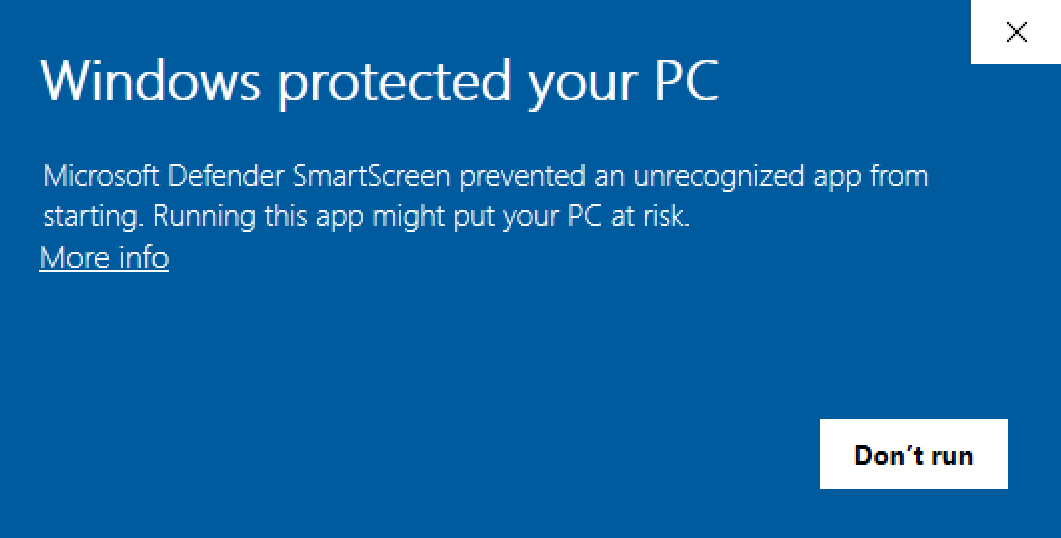
3. Click the "More info" link to continue. The message will now show more details: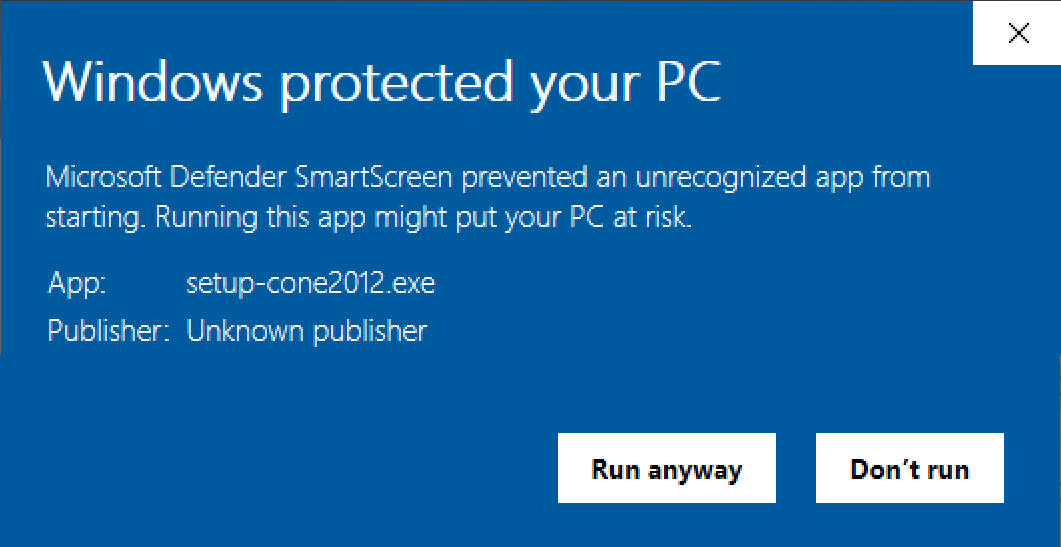
4. Click the "Run anyway" button to continue. An additional confirmation window pops up: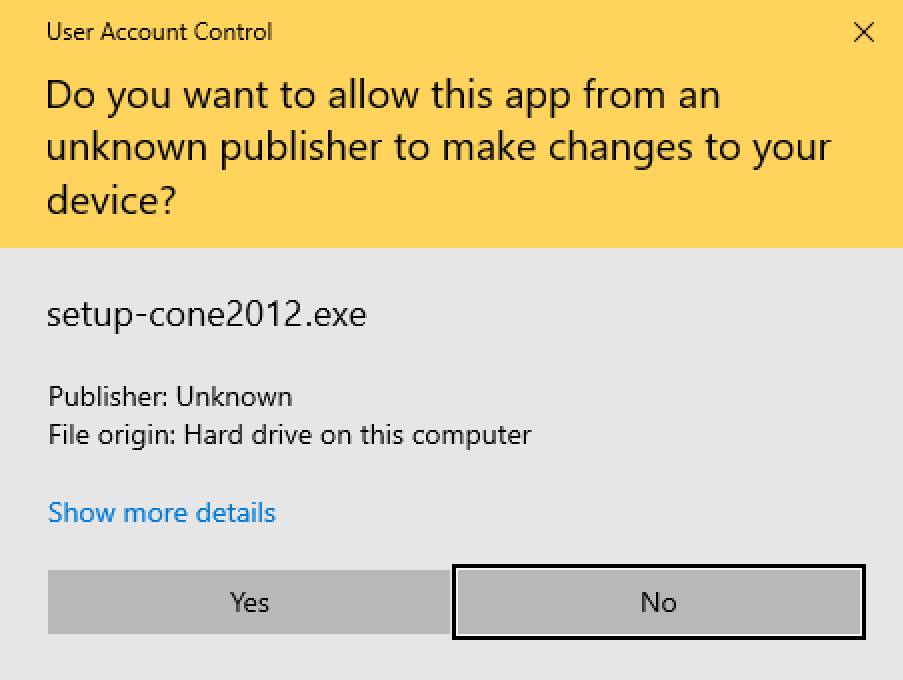
5. Click the "Yes" button to continue. This will start the Cone Layout installer: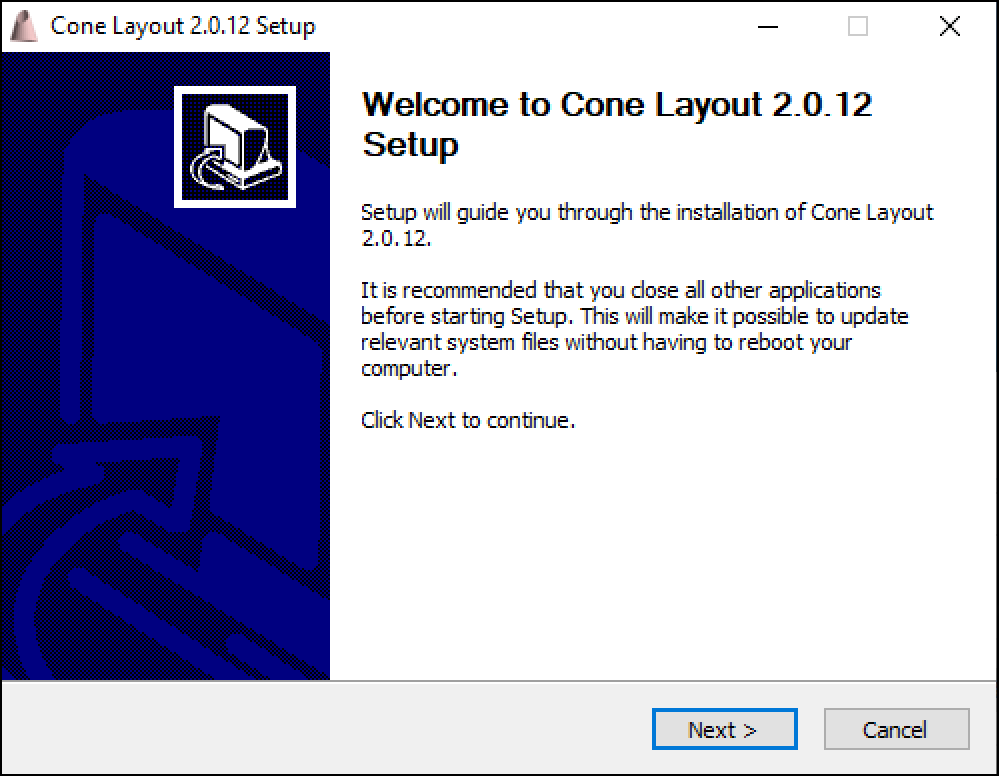
6. Click the "Next" button to continue. This will show the license agreement: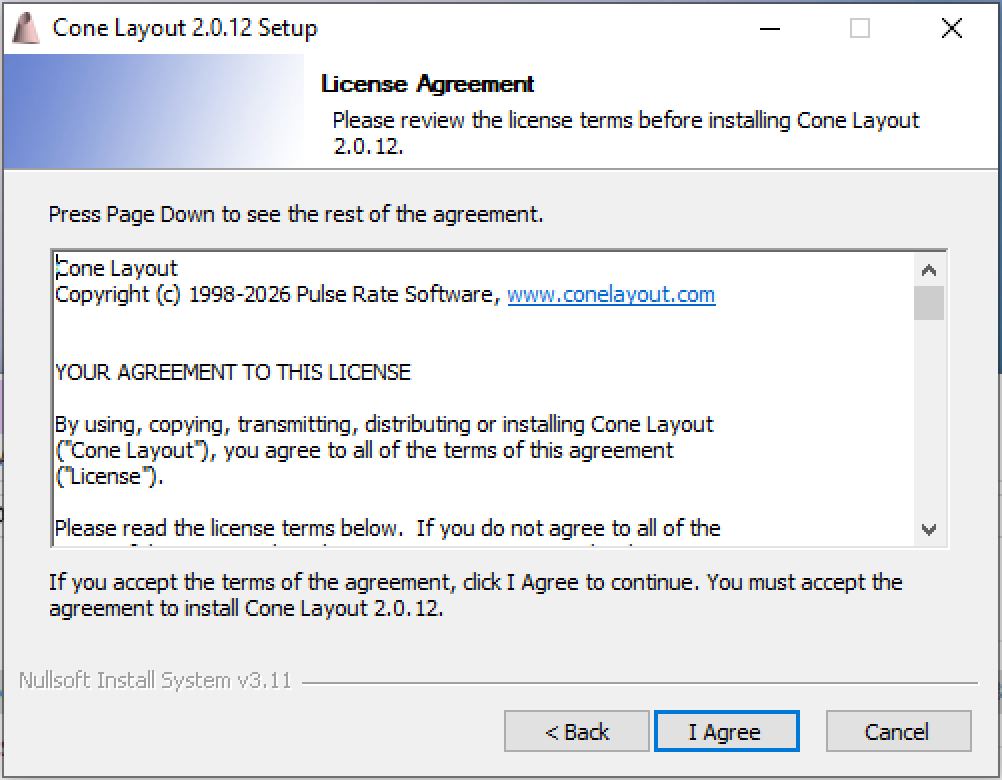
7. Click the "I Agree" button to continue. This will ask you in what folder to install Cone Layout: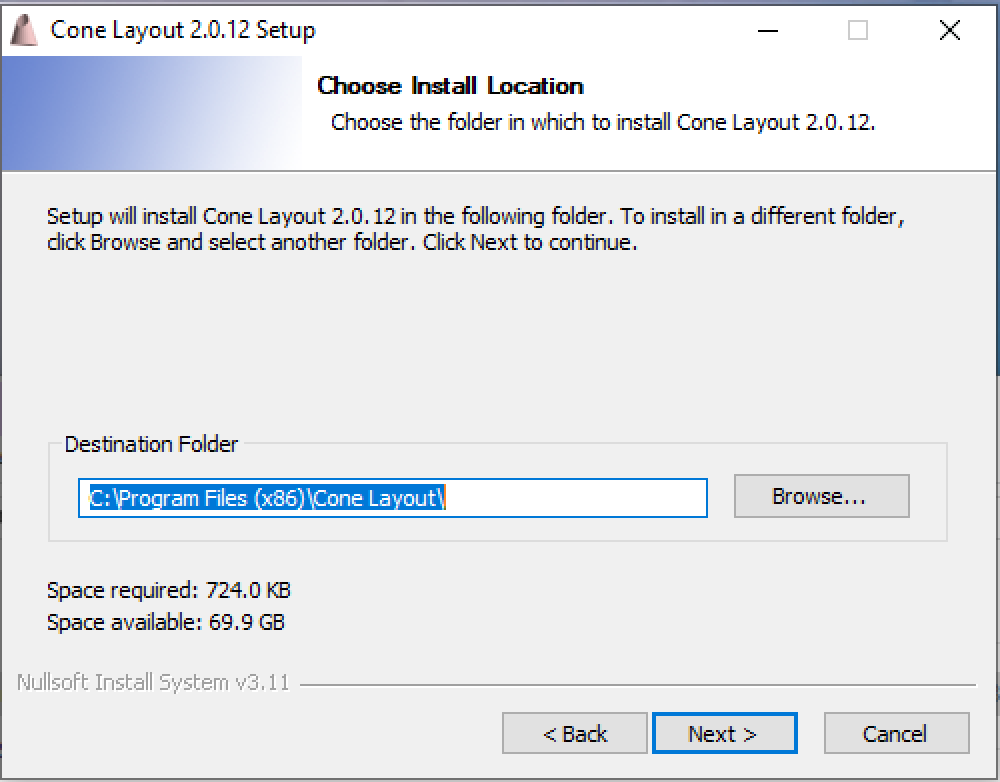
8. Usually the default location is fine. Click the "Next" button to continue. This will ask you what to call the application in the system menu: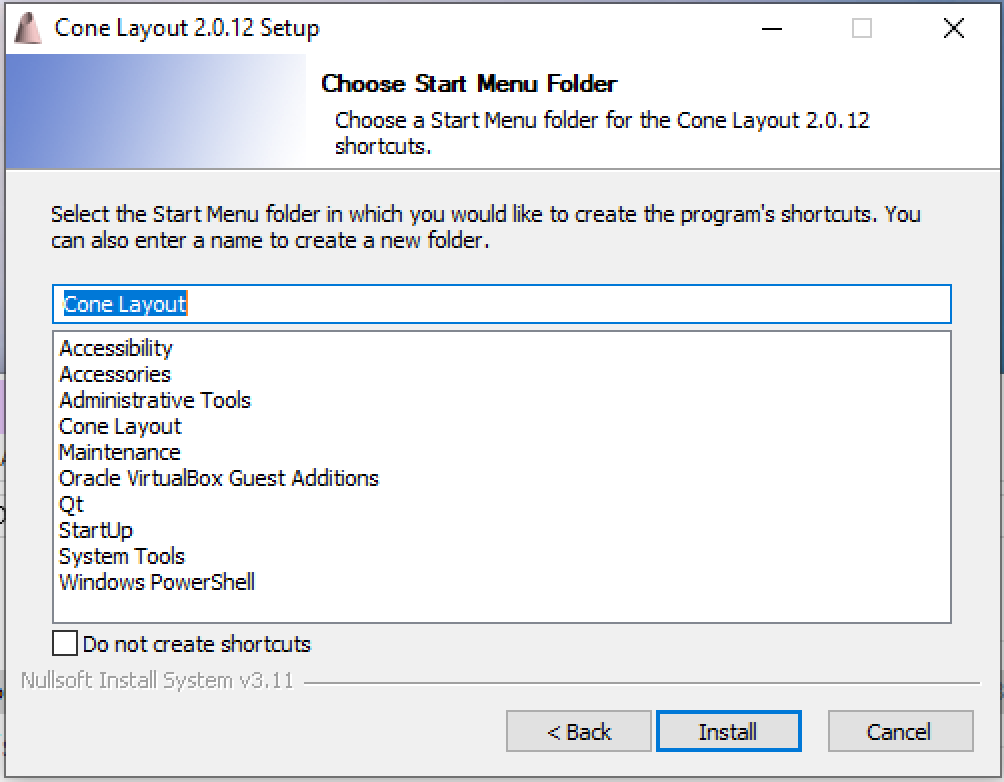
9. Usually the default name is fine. Click the "Next" button to start the actual installation. Once all files have been copied to your system, the installation is complete: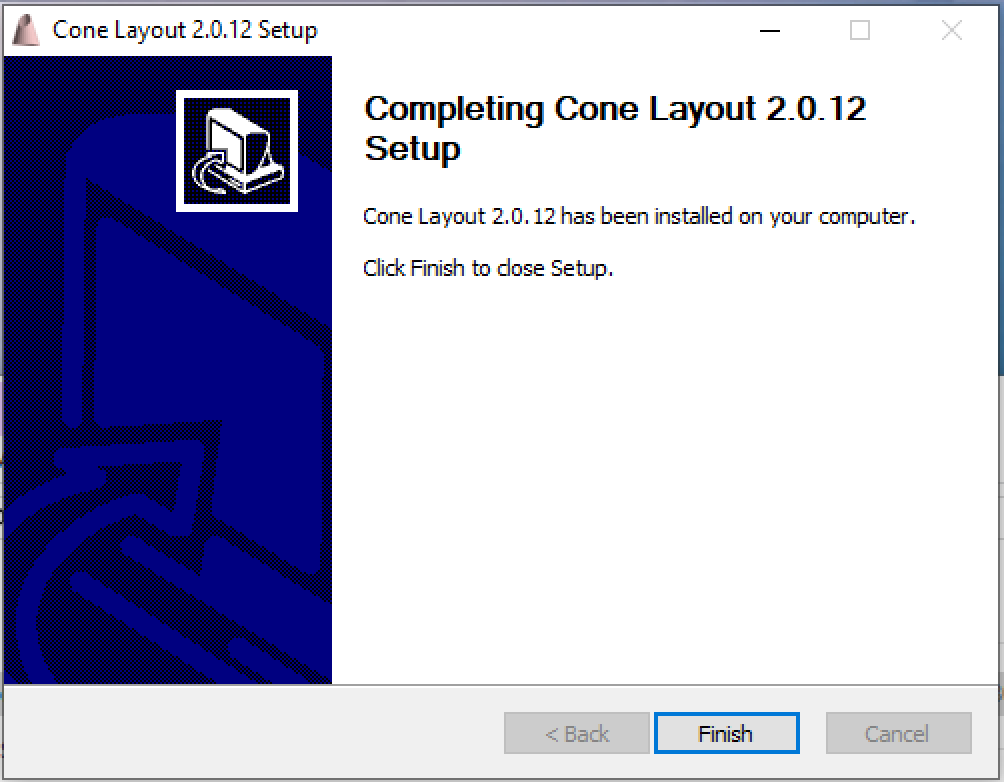
10. Click "Finish" to complete the installation.